
Home Design Makeover
Storm8 StudiosSimulation
4.513.12K Reviews
- Version
- 6.9.6g
- Installs
- 10.00M
- Age Rating
- Everyone
Screenshots
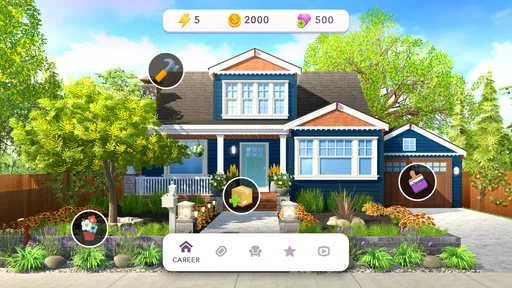
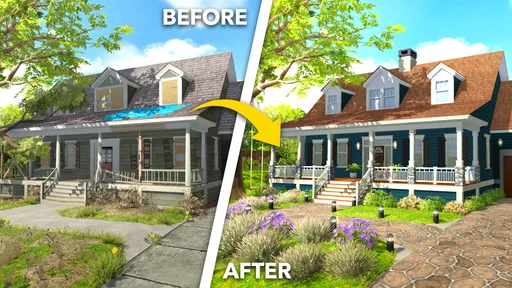
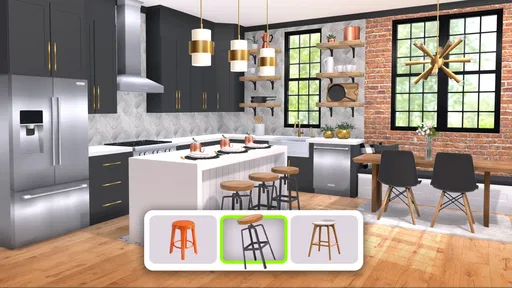
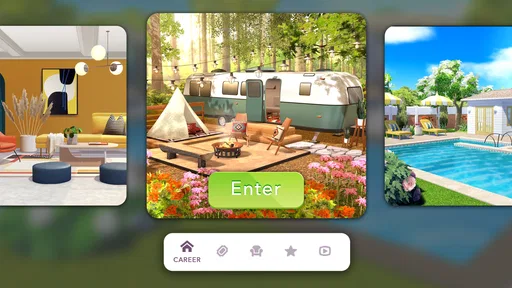

Our Review of Home Design Makeover
 Analysis by Appyee
I approach a home-design game differently from a practical room-planning tool: I want a quick creative escape, not measurements I can take to a contractor. Home Design Makeover sits in that first category, pairing decorating projects with match-3 puzzles. That combination makes it easy to pick up for a short break, but it also means progress depends on playing the puzzle side rather than simply arranging a room whenever inspiration strikes.
Choose it for play, not renovation planning
The first question I would ask is whether you enjoy both halves of the loop. If choosing finishes and furniture is the main attraction, earning the coins for those choices through puzzles can feel like a detour. If you already like match-3 games, the decorating gives those rounds a satisfying purpose. I find that distinction more useful than asking whether the game is “for design fans”: it suits people who want design-flavored gameplay, not necessarily people looking for a precise digital floor plan.
Storm8 Studios’ game is a free simulation title, with optional in-app purchases priced from $0.99 to $109.99 per item. It is rated Everyone, has an average rating of 4.5 from around 220,000 ratings, and has been installed over 10 million times. Those figures suggest a broad audience, but they do not change the practical question: will you enjoy switching between solving a board and making visual choices? I would try it if that rhythm sounds relaxing, and skip it if you want uninterrupted decorating.
A useful way to spend a small break
A realistic use case is a quiet stretch between errands or a few minutes on the sofa: complete a puzzle, collect the reward, then use it to make a visible change to a room. That gives a short session a clear endpoint. It is less suited to someone who wants to open a game, freely experiment with every furnishing choice, and leave whenever they like, because puzzle progress is part of the route to those choices.
For a more deliberate play session, I would treat each room as a small design exercise instead of tapping through selections as quickly as possible. Before choosing, decide what mood you want the space to have, then compare the available options against that idea. This makes the limited choice set feel like a prompt rather than a failure of freedom. It also helps when two choices both look appealing: pick the one that supports the room’s overall direction, not just the item that catches your eye first.
Where the mix has an advantage
Compared with a pure match-3 game, the room projects give rewards a visible purpose. Compared with a sandbox decorating app, the puzzle requirement creates structure and a reason to return. I see that as the game’s particular strength: it does not ask me to invent every goal myself, and the decorating breaks up the repetition of solving boards. Players who like guided tasks may find that balance more inviting than an open-ended design canvas.
There is a trade-off, though. A puzzle game gives the player the board as its main activity; a dedicated design tool gives more room to plan and revise. Here, neither side is entirely free of the other. If you are mainly interested in matching pieces, the room decisions may feel like an interruption. If you are mainly interested in interiors, the puzzles can make the path to a design choice feel slower than it would in a decoration-only experience.
I would also avoid treating the game’s rooms as a direct blueprint for a real home. The appeal is visual experimentation, not a dependable way to check dimensions, budgets, or whether furniture will fit in a particular space. For real renovation planning, a purpose-built room planner is a better choice; for low-pressure decorating choices tied to a game loop, this one makes more sense.
Getting Started: The Basics
First things first, let’s talk about the basics of Home Design Makeover. The app is available on both Android and iOS, making it super accessible. Once installed, you’re greeted with a simple and user-friendly interface that doesn’t overwhelm with too many options. This is perfect for those of us who are just looking to dive in and start designing.
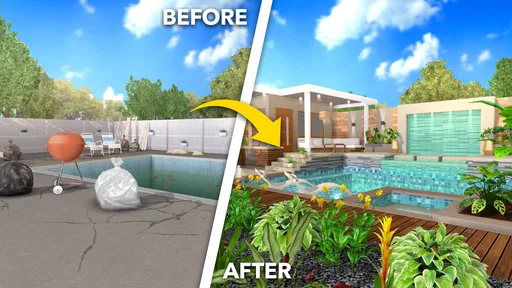
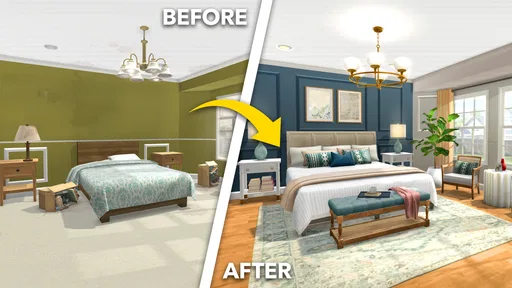
The game offers a plethora of design challenges that involve renovating and decorating various rooms. You’ll find yourself working on everything from cozy living rooms to luxurious bathrooms, and even outdoor spaces. Each project starts with a simple room layout and a set of goals you need to achieve. It’s kind of like those home makeover shows you binge-watch on weekends, but now you’re the star designer!
Puzzle Play: The Match-3 Mechanic
Now, here’s where it gets interesting. To earn coins for buying furniture and decorations, you need to complete match-3 puzzles. If you’ve ever played Candy Crush, you’ll feel right at home here. The puzzles are engaging and gradually increase in difficulty, which keeps things interesting.
Each completed puzzle rewards you with coins, which you can then use to purchase items for your design projects. The more coins you have, the more extravagant your designs can become. It’s a clever blend of puzzle-solving and creativity that can keep you hooked for hours.
Designing Your Dream Space
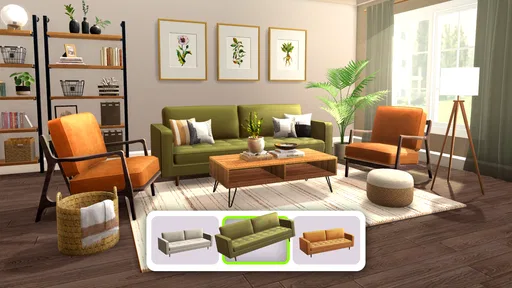
Once you’ve earned enough coins, it’s time to let your creativity shine. The app offers a wide range of furniture and decor options that you can mix and match to create your ideal space. Whether you’re into modern minimalism or rustic chic, there’s something for every taste.
What I loved most is the attention to detail. The graphics are stunning, and each piece of furniture is beautifully designed. You can even rotate items to get the perfect angle, making the process feel incredibly realistic. Plus, the app regularly updates its catalog, so there’s always something new to try.
Challenges and Community
For those who thrive on competition, Home Design Makeover offers design challenges where you can showcase your skills and compete with other players. These challenges are a great way to get inspiration and see how others interpret the same space. It’s like having a global design community right at your fingertips.
The community aspect adds a layer of excitement and motivation to keep improving your designs. You can even share your creations with friends and get feedback, which is always a fun way to learn and grow.
Keeping progress comfortable
One practical tip is to decide before a session whether you are in the mood for puzzles or decorating. If you want the room changes, focus on the puzzle rounds needed to earn coins; if you only have time for one quick board, treat that as progress rather than expecting to finish a whole project. This small expectation-setting habit keeps the two activities from competing with each other.
Another useful approach is to pause before spending coins on a choice. Look at the room’s existing colors and the project goal, then select an option that makes the whole space feel consistent. Since the enjoyment comes from comparing alternatives, rushing through every selection can make the design portion feel less personal. I would also keep in mind that a game’s attractive furniture images are there for visual play; they are not a substitute for checking real dimensions or materials.
For anyone wondering whether purchases are necessary, the game is free to download, while optional purchases are available. I would start without spending and see whether the puzzle-to-decoration pace works for you. Paying may be tempting if you want to move faster, but it does not change the basic design-versus-puzzle trade-off. If the puzzles are already wearing thin, spending is unlikely to make the underlying loop a better fit.
The game is rated for Everyone, which makes its general tone approachable for a broad audience. Still, I would consider a child’s preference for puzzle play and the family’s approach to optional purchases before handing over a device. The age rating is a useful starting point, while purchase choices are worth discussing separately.
Who should look elsewhere
I would point a serious aspiring decorator toward a dedicated design or room-planning app if they need accurate layouts, measurements, or a practical record of decisions for a real project. Someone who wants complete control over a blank canvas may also prefer a sandbox-style decorating game, where the central activity is arranging and revising rather than earning access through puzzles.
On the other hand, people who want a structured game with short puzzle sessions and a visual reward may find the combination more appealing than either of those alternatives. It is also a reasonable fit for someone who enjoys interior styles but does not want the pressure of making “correct” real-world choices. The key is to see the rooms as playful prompts, not as a professional design workflow.
Final Thoughts
All in all, Home Design Makeover is a delightful app that combines the thrill of puzzle-solving with the joy of interior design. It’s perfect for anyone who loves a good challenge and has a knack for creativity. Whether you’re a seasoned designer or a complete novice, this app offers something for everyone.
If you’re looking to kill some time while honing your design skills, I highly recommend giving this app a try. It’s a fantastic way to get those creative juices flowing and maybe even gather some inspiration for your real-life spaces. So go ahead, download it, and start designing your dream home today!
My recommendation
The game was released on May 8, 2018, and its current version is 6.7.6g, with Android 7.0 as the minimum operating system requirement. I would check that your device meets that requirement before installing. If it does, my recommendation is simple: try it if the combination of match-3 puzzles and room makeovers sounds like a pleasant routine, and keep your expectations focused on entertainment rather than practical renovation advice.
For me, the strongest reason to choose it is the steady connection between a puzzle reward and a visible decorating decision. Its main limitation is the same connection: the design side is not independent of the match-3 side. If you are comfortable with that exchange, the game offers an approachable way to experiment with room styles in short sessions. If not, a dedicated decorating experience or a practical planning tool will better match what you want to do.
Privacy and Permissions
See what permissions an app requests and how it handles your data.
- Wi-Fi connection information
- view Wi-Fi connections
- Other
- view network connections, full network access, control vibration, prevent device from sleeping, Google Play license check
Verdict
Strengths of Home Design Makeover
- Intuitive interface for easy navigation.
- Wide variety of design elements available.
- Regular updates with new content.
- Offline mode supports creativity anytime.
- Engaging challenges enhance design skills.
Limitations of Home Design Makeover
- In-app purchases can be quite costly.
- Ads can interrupt gameplay frequently.
- Limited customization options for some items.
- Some levels feel repetitive over time.
- Requires internet for full feature access.
Similar Picks in This Category
View All
Truckers of Europe 3
Wanda Software4.3

Town Building Life Simulator
XGame Global4.2

Fidget Toys Trading・Pop It 3D
Freeplay Inc4.7

Sculpt People
CrazyLabs LTD4.4

Scary Teacher 3D
Z & K Games4.2

Hair Tattoo: Barber Shop Game
CASUAL AZUR GAMES4.3
Frequently Asked Questions
What is Home Design Makeover and how does it work?
Home Design Makeover is a mobile game that combines home renovation and interior design tasks with match-3 puzzle gameplay. Players complete puzzles to earn resources, which they then use to renovate and decorate various rooms. The game offers a variety of design styles and hundreds of levels to keep players engaged.
Is Home Design Makeover free to play?
Yes, Home Design Makeover is free to download and play on both Android and iOS devices. However, it includes in-app purchases for players who wish to enhance their gaming experience or progress faster by purchasing additional resources or design elements.
Can I play Home Design Makeover offline?
Home Design Makeover requires an internet connection to play. This connectivity is necessary for accessing new levels, receiving updates, and participating in special events. Ensure you have a stable internet connection to fully enjoy the game’s features and content.
Are there any age restrictions for playing Home Design Makeover?
Home Design Makeover is designed for players aged 4 and up, making it suitable for a wide audience. However, parents should be aware that the game includes in-app purchases, so they may want to set up parental controls to prevent unintended purchases by younger players.
How can I save my progress in Home Design Makeover?
Progress in Home Design Makeover is saved automatically when connected to the internet. Players can also link the game to their Facebook account, which allows them to save progress across different devices and restore it if they switch devices or reinstall the game.
Play our best games!


